
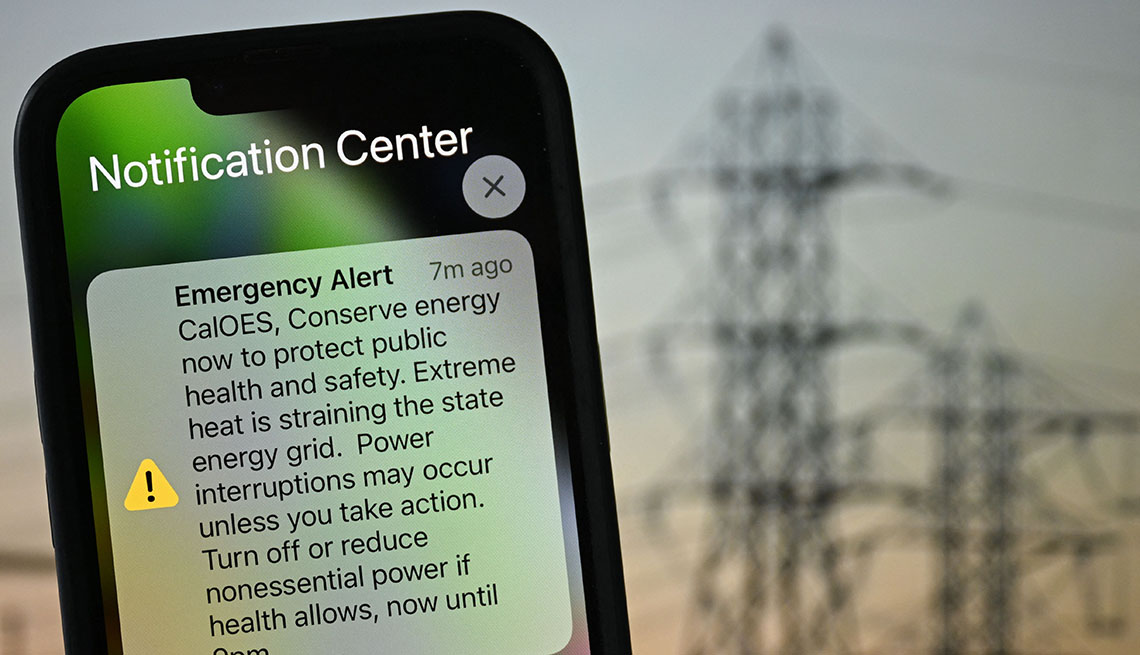
In an increasingly unpredictable world, staying informed about potential dangers can make all the difference between safety and risk. Apple’s iOS 26.2, released mid-December 2025, brings significant enhancements to emergency alerts on iPhone, making them more reliable and customizable. These ios 26.2 emergency alerts build on existing features, introducing advanced options like enhanced safety alerts for earthquakes and imminent threats. Whether it’s a severe weather warning or a public safety notice, understanding how these alerts work ensures you’re prepared without being overwhelmed. This article dives deep into the os 26.2 emergency alerts, explaining their importance, how to manage them, and why updating to iOS 26.2 is a smart move for iPhone users.
What Are Emergency Alerts on iPhone?
Emergency alerts on iPhone are notifications sent by government agencies, carriers, or Apple to inform users about critical situations. These aren’t your typical app push notifications; they’re designed to cut through silence modes and demand attention with a distinct alarm-like sound and vibration. What are emergency alerts on iPhone? They’re part of the Wireless Emergency Alerts (WEA) system in the US, or similar systems globally, delivering time-sensitive information directly to your device.
These alerts leverage cellular networks, Wi-Fi, and even satellite in some cases, ensuring delivery even in remote areas. For instance, an emergency alert on iPhone today could warn about a flash flood or an active shooter. Apple’s integration makes them seamless, appearing as full-screen pop-ups or in the Notification Center. With iOS 26.2 expected mid December with emergency alerts, the update refines this system, addressing user feedback on reliability and customization.
Types of Emergency Alerts on iPhone
iPhones support several types of emergency alerts on iPhone, each tailored to specific threats. Here’s a breakdown:
- AMBER Alerts: Issued for child abductions (America’s Missing: Broadcast Emergency Response). These include details like vehicle descriptions to aid public assistance.
- Public Safety Alerts: Non-life-threatening but important notices, such as boil water advisories or missing adult alerts (e.g., Silver Alerts).
- Emergency Alerts: Cover imminent threats, divided into Severe (e.g., thunderstorms) and Extreme (e.g., hurricanes or tornadoes).
- Presidential Alerts: Rare national emergency messages from the President, which cannot be disabled.
- Enhanced Safety Alerts (New in iOS 26.2): Include earthquake alerts and imminent threat alerts, with options for improved delivery using location data.
What kind of emergency alerts on iPhone you receive depends on your region and carrier. For example, in the US, these are managed via the FCC’s WEA system. To visualize, here’s a table comparing the key aspects:
| Alert Type | Description | Can Be Disabled? | Sound/Vibration | Example Scenarios |
|---|---|---|---|---|
| AMBER Alerts | Child abduction notifications | Yes | Yes | Missing child in your area |
| Public Safety Alerts | General safety advisories | Yes | Yes | Health advisories, missing adults |
| Emergency Alerts | Imminent threats to life/property | Yes (with options) | Yes (always plays) | Severe weather, evacuations |
| Presidential Alerts | National emergencies | No | Yes | Widespread crises |
| Enhanced Safety Alerts | Earthquakes, imminent threats (iOS 26.2) | Yes | Yes | Natural disasters, threats |
What’s New in iOS 26.2 Emergency Alerts
iOS 26.2 introduces “Enhanced Safety Alerts,” a dedicated section in Settings > Notifications. This iphone ios emergency update refines how alerts are delivered, using Wi-Fi and cellular data for faster, more accurate notifications. Unlike standard cell broadcasts, these can include rich details like maps and safety links.
Key additions:
- Earthquake Alerts: Detects shakes and alerts instantly.
- Imminent Threat Alerts: Warns of floods, disasters, or other emergencies.
- Improve Alert Delivery: Shares approximate location anonymously to enhance timeliness.
This ios emergency security update addresses gaps in previous versions, like iOS 26.2 emergency alerts ios 15, by making alerts more proactive. Users in beta testing noted differences, such as alerts appearing even without cellular service. If you’re wondering ios 26.2 should i update, these safety enhancements alone make it worthwhile, especially in disaster-prone areas.

How to Enable Emergency Alerts on iPhone
Enabling emergency alerts is straightforward. To enable emergency alerts on iPhone:
- Open Settings.
- Tap Notifications.
- Scroll to Government Alerts (or Enhanced Safety Alerts in iOS 26.2).
- Toggle on the desired types: AMBER, Public Safety, Emergency Alerts.
- For enhanced features, enable Earthquake Alerts, Imminent Threat Alerts, and Improve Alert Delivery.
Always ensure “Always Play Sound” is on for Emergency Alerts to override Silent mode. This setup ensures you receive what triggers an iPhone emergency alert, like severe weather or government warnings.
For testing in the US: Dial 500525371# to enable test alerts.
:max_bytes(150000):strip_icc()/iphone-amber-alerts-bc193ddbd3c24bd895b61242e22ca176.png)
How to Turn Off Emergency Alerts on iPhone
While safety is paramount, some users prefer to turn off emergency alerts iPhone due to anxiety or irrelevance. Follow these steps:
- Go to Settings > Notifications.
- Scroll to Government Alerts.
- Toggle off AMBER Alerts, Public Safety Alerts, or Emergency Alerts.
- In iOS 26.2, navigate to Enhanced Safety Alerts and disable specific options.
Note: Presidential Alerts can’t be turned off. If alerts persist, check Do Not Disturb settings or restart your device.
How to View Emergency Alerts on iPhone
Missed an alert? How to view emergency alerts on iPhone is easy via Notification Center:
- From Lock Screen: Swipe up from the middle.
- From any screen: Swipe down from the top center.
For emergency alert history iPhone, scroll through past notifications. iOS doesn’t store a dedicated history log, but alerts remain until cleared. How to see emergency alerts on iOS? The same method applies, ensuring you catch up on ios 26.2 emergency alerts download if needed.
Troubleshooting iOS 26.2 Emergency Alerts Not Working
Why is my iPhone not giving me emergency alerts? Common issues include:
- Settings Misconfiguration: Ensure alerts are enabled and “Local Awareness” is on for better accuracy.
- Do Not Disturb or Silent Mode: Alerts should override, but toggle “Always Play Sound.”
- Carrier or iOS Version: Update to the latest iOS; contact your carrier if issues persist.
- Restart Device: Often resolves glitches.
- Airplane Mode: Toggle it on/off to refresh connections.
If problems continue post-iOS 26.2, it might be a carrier-side issue.
iOS 26.2 Should I Update? A Quick Look at Related Features
Yes, ios 26.2 should i update beyond emergency patches like the apple ios emergency patch and emergency ios patch, it includes Liquid Glass tweaks, offline music lyrics, and security fixes for exploited bugs. What does iOS 26.1 do? It added Liquid Glass toggles, new translation languages, and alarm UI changes, setting the stage for 26.2’s safety focus.
FAQ
How to See Emergency Alerts on iOS?
Swipe down from the top of your screen to access Notification Center, where alerts appear. For history, scroll back through notifications.
What Does iOS 26.1 Do?
iOS 26.1 introduced Liquid Glass transparency options, expanded Live Translation languages, and UI refinements for alarms and music controls.
What Triggers an iPhone Emergency Alert?
Triggers include government-issued warnings for weather, abductions, or threats, based on your location and carrier data.
Why Is My iPhone Not Giving Me Emergency Alerts?
Check if alerts are enabled in Settings > Notifications. Restart your device, update iOS, or ensure Do Not Disturb isn’t interfering.
How to View Emergency Alert History on iPhone?
Use Notification Center by swiping down; past alerts stay until manually cleared.
What Are the Types of Emergency Alerts on iPhone?
They include AMBER, Public Safety, Emergency (Severe/Extreme), Presidential, and new Enhanced Safety Alerts in iOS 26.2.
iOS 26.2 Emergency Alerts Not Working What to Do?
Toggle settings off/on, restart, and verify your iOS version. Contact Apple Support if needed.
Conclusion
iOS 26.2 emergency alerts represent a leap in iPhone safety features, blending traditional notifications with advanced, location-aware enhancements. By customizing these enabling what matters and disabling distractions you empower yourself in emergencies. Update to iOS 26.2 today via Settings > General > Software Update to access these tools. Stay safe, stay informed share this guide with fellow iPhone users and explore more on Apple’s support site for deeper dives.
