
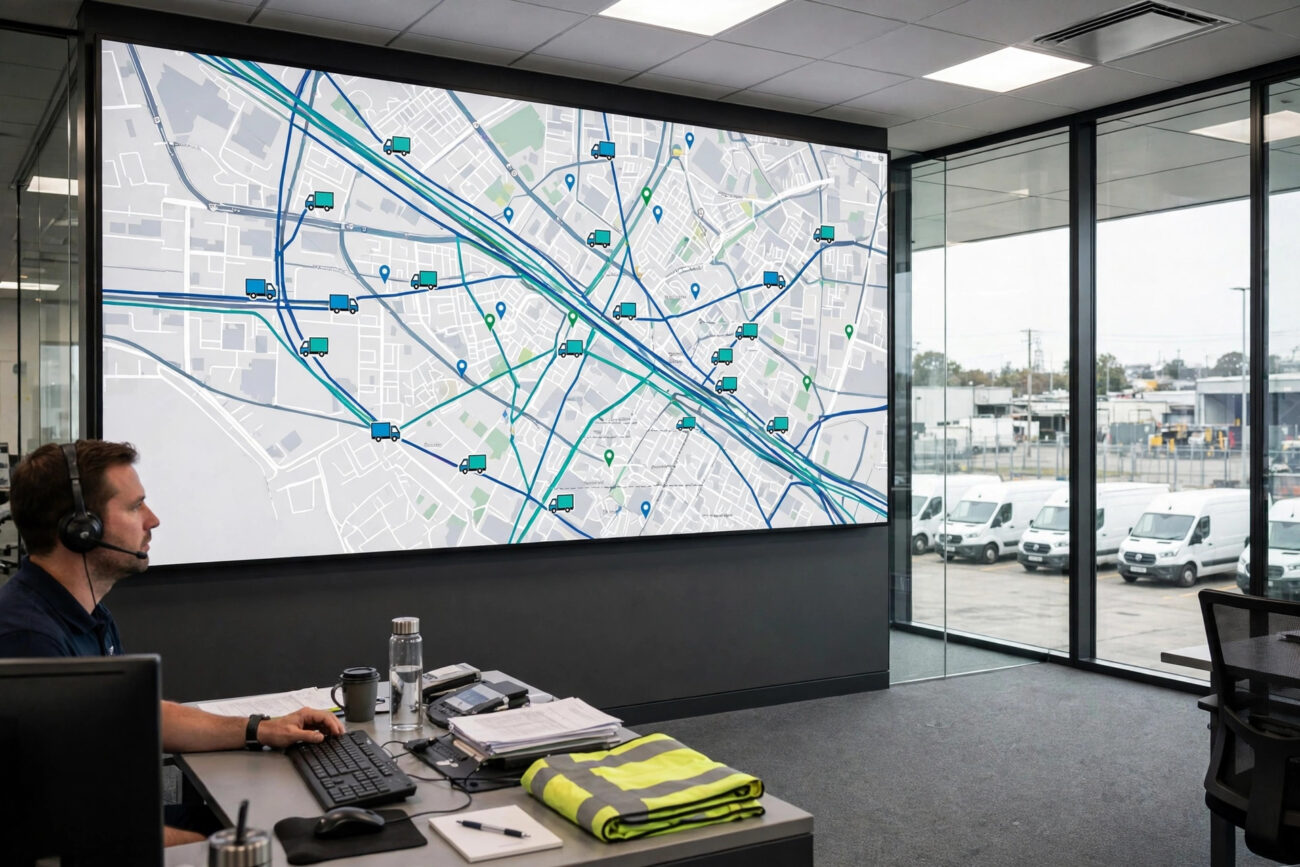
If you run ten delivery vans, twenty service trucks, or a hundred long-haul rigs, you already know the problem. One driver is stuck in traffic, another truck needs an oil change, a third just burned through a tank of fuel on a route that should have taken half the time, and nobody in the office can say exactly where any of them are. Fleet management software exists to end that guessing game. In this guide, you will learn what is fleet management software and how does it work, what it costs per vehicle, and which features actually pay for themselves.
By the end, you will know whether your business needs a full fleet platform, a simple GPS tracker, or just a better maintenance spreadsheet. You will also see real 2026 pricing, so you can budget with confidence instead of waiting for a sales call to tell you the number.
What Is Fleet Management Software?
Fleet management software is a cloud-based platform that helps a business track, monitor, and control its commercial vehicles, drivers, and related assets from one dashboard. It pulls live data from GPS devices, telematics hardware, and sensors fitted to each vehicle, then turns that raw data into location tracking, fuel analytics, maintenance schedules, driver safety scores, and compliance reports.
In plain English, it replaces phone calls, paper logbooks, and driver word of mouth with a single source of truth. A dispatcher can see every vehicle on one map. A maintenance manager can see which trucks are due for service. An owner can see what each vehicle costs to run, mile by mile.
The software serves many kinds of businesses: delivery companies, construction firms, taxi and shuttle operators, utilities, food distributors, and home service businesses all run fleets that benefit from the same visibility.
It is important to separate fleet management software from simple GPS tracking. GPS tracking answers one question: where is the vehicle right now? Fleet management software answers a dozen more: How fast is it going? How much fuel did it use today? Is the driver braking too hard? When is the next oil change due? Is the driver still within legal driving hours? That wider view is what turns a dot on a map into a management tool.
How Does Fleet Management Software Work?
Behind every dashboard alert and trip report sits a four-layer data flow. Understanding it helps you judge vendors, because a weak link in any layer makes the whole system less useful.
Step 1: Hardware on the vehicle collects data
Each vehicle carries one or more devices. The most common is a GPS tracker or telematics unit, often plugged into the OBD port or wired into the vehicle. It records location, speed, ignition status, mileage, and engine data every few seconds. Some fleets add dash cameras, fuel sensors, temperature sensors for refrigerated loads, and driver ID readers.
Not every modern system needs an aftermarket tracker in every vehicle. Many newer trucks and vans ship with built-in telematics from the manufacturer, and the software can pull data straight from those factory systems through an integration.
Step 2: Connectivity sends the data to the cloud
The hardware transmits its readings over a cellular connection, and in remote areas sometimes by satellite, to the vendor’s cloud platform. Where the signal drops, good devices store the data and forward it when coverage returns, so trips are not lost.
Step 3: The cloud platform turns raw signals into meaning
Coordinates alone are just numbers. The platform interprets them into trips, stops, geofence entries and exits, idle time, mileage, harsh braking events, and fuel use. It compares readings against the rules you set, such as speed limits, working hours, and service intervals, and it flags anything unusual.
Step 4: People see it on a dashboard and act
Dispatchers watch a live map and respond to delays. Safety managers review driving events and coach drivers. Maintenance teams get automatic reminders before a breakdown happens. Owners read weekly reports on cost per mile, fuel use, and vehicle utilization. The software does the watching, and your team does the deciding.
Most platforms also send automatic alerts by text, email, or push notification. A speeding alert, a geofence exit, an engine fault code, or a missed inspection can reach the right person within seconds, which is often the difference between a small fix and a roadside breakdown.
Key Features of Fleet Management Software
Every vendor packages features differently, but the core set is similar across the market. Here is what to look for, and why each feature matters in daily work.
| Feature | What it does | Why it matters |
|---|---|---|
| Live GPS tracking | Shows every vehicle on a live map with location, speed, and trip history | Faster dispatch, accurate arrival times, and proof of delivery |
| Route optimization | Recommends the most efficient order of stops using traffic and road data | Less fuel, fewer miles, and more jobs finished per day |
| Driver safety scoring | Scores harsh braking, rapid acceleration, speeding, and seatbelt use | Lower accident risk, lower insurance costs, and fair coaching |
| Maintenance scheduling | Tracks mileage, engine hours, and fault codes and books service automatically | Fewer breakdowns and longer vehicle life |
| Fuel management | Monitors fuel use, idling, and fuel card transactions | Catches waste and theft, and cuts one of the biggest fleet costs |
| Compliance and ELD | Records hours of service and driver logs for regulators | Keeps the fleet legal and audit-ready |
| Geofencing | Draws virtual boundaries and alerts you when a vehicle enters or leaves | Proof of arrival, theft alerts, and job site tracking |
| AI dash cameras | Records the road and the driver and flags distraction or near misses | Video evidence for claims and faster incident review |
| Reports and analytics | Turns daily data into cost, utilization, and safety reports | Decisions based on numbers instead of hunches |
Route optimization often pays back fastest, because fuel and driver hours are usually the two largest fleet costs. Predictive maintenance is the feature most buyers underestimate: instead of servicing trucks on a fixed calendar, the software reads engine fault codes and flags problems early, so a worn part gets fixed in the depot instead of failing on a highway with a loaded truck. Integrations matter too. The best platforms connect with fuel cards, accounting software, and payroll, so a completed delivery can update an invoice without anyone retyping it. When you compare vendors, ask which integrations are included and which cost extra, because add-on fees are where many quotes quietly grow.
How Much Does Fleet Management Software Cost?
Pricing is the least transparent part of this market. The largest vendors, including Samsara, Motive, Verizon Connect, and Geotab, do not publish prices and quote per fleet after a demo. The vendors that do publish prices give a useful range to plan around.
| Tier | Typical price per vehicle per month | Best for |
|---|---|---|
| Maintenance only | $4 to $10 | Fleets that mainly need service schedules, inspections, and work orders |
| Budget GPS tracking | $14 to $25 | Small fleets that want live location and basic alerts with no contract |
| Mid-market platform | $25 to $35 | Growing fleets that need telematics, safety scoring, and compliance |
| Enterprise platform | $27 to $50+ | Large fleets that need video telematics, AI analytics, and custom workflows |
Published examples from 2026 show the spread clearly. Fleetio, a maintenance-first platform, starts at $4 per vehicle per month billed annually. OneStep GPS charges $13.95 per vehicle per month with the device included, and Linxup charges $25. AI dash cameras typically add $30 to $50 per vehicle per month on top of the base plan.
Remember that the monthly rate is only part of the bill. Hardware usually costs $100 to $300 per vehicle, and professional installation can add $50 to $200 per vehicle. Some vendors include the device free with a longer contract, which sounds generous until you read the early termination terms. Enterprise platforms commonly require three-year contracts, so get the full three-year cost in writing before you sign, including hardware, installation, training, and any per-user fees. A mid-market plan near $25 per vehicle is the sweet spot for many fleets, because it covers tracking, safety, maintenance, and compliance without the enterprise price tag.
Pros and Cons of Fleet Management Software
Pros:
- Lower fuel and labor costs. Better routes, less idling, and less unauthorized use cut the two biggest fleet expenses.
- Fewer breakdowns. Maintenance reminders and fault-code alerts catch problems before they strand a driver.
- Safer drivers. Scoring and coaching reduce harsh driving, and video evidence settles disputes quickly.
- Happier customers. Accurate arrival times and proof of delivery build trust.
- Cleaner compliance. Electronic logs and inspection records keep audits simple.
Cons:
- Monthly cost per vehicle. A 50-vehicle fleet at $30 per vehicle pays $1,500 a month, every month.
- Long contracts. Enterprise vendors often lock you in for three years with steep exit fees.
- Driver pushback. Some drivers see tracking as surveillance, so rollout needs honest communication.
- Setup time. Installing hardware, setting rules, and training staff takes weeks, not hours.
- Data overload. Without clear alerts and reports, the dashboard becomes noise instead of insight.
The honest test is payback. If the software saves more in fuel, maintenance, and avoided downtime than it costs each month, it earns its place, and most fleets that measure properly see that payback inside the first year.
Fleet Management Software vs GPS Tracking
GPS tracking is a single function: it tells you where a vehicle is. Fleet management software is a platform built on top of tracking that adds vehicle health, driver behavior, fuel, maintenance, compliance, and reporting. If you only need to know where your vans are, a budget tracker near $14 per vehicle per month is enough. If you need to control costs, keep vehicles legal, coach drivers, and plan maintenance, tracking alone will leave you guessing.
How to Choose the Right Fleet Management Software
Start with your biggest pain, not with a feature list. If fuel costs are the problem, prioritize route optimization and idling reports. If breakdowns are the problem, prioritize maintenance and fault-code alerts. If accidents are the problem, prioritize driver scoring and dash cameras.
Then run a short trial with two or three vendors on a handful of vehicles, so you see the real dashboard and reports instead of a sales demo. Before signing, get the full monthly cost, hardware and installation cost, contract length and exit fee, and renewal price in writing, and ask who owns your data if you leave.
Frequently Asked Questions
How much does fleet management software cost per vehicle?
Published prices in 2026 run from $4 per vehicle per month for maintenance-only software to $25 to $35 for mid-market platforms, and $27 to $50 or more for enterprise systems with video telematics. Budget GPS tracking starts near $14 per vehicle per month. Hardware typically adds $100 to $300 per vehicle, plus installation, and the largest vendors quote by fleet rather than publishing a price.
Do I need a GPS tracker in every vehicle?
In most cases, yes, because each vehicle needs its own device to report location, speed, and engine data. The exception is newer vehicles with factory telematics, where the software can pull data from the manufacturer’s own system. Either way, every vehicle you want to manage needs a data source connected to the platform.
What is the difference between fleet management software and GPS tracking?
GPS tracking shows where a vehicle is. Fleet management software adds maintenance scheduling, driver safety scoring, fuel management, compliance logs, route optimization, and reporting on top of that location data. Tracking is one feature, while fleet management is the full platform that turns tracking into cost control and safety management.
Can small businesses use fleet management software?
Yes. Many platforms now serve fleets of five to twenty vehicles, and budget options start near $14 per vehicle per month with no long contract. A small plumbing, HVAC, or delivery business with ten vans can often save more on fuel and maintenance than the software costs. Start with the features that fix your biggest cost, and add more as the fleet grows.
Is fleet management software worth it?
For most fleets with more than a handful of vehicles, yes, when the system is actually used. Fuel savings, fewer emergency repairs, and lower accident rates usually add up to more than the monthly fee. The fleets that see no return are usually the ones that install the system and never look at the reports, so commit to a weekly review before you buy.
Conclusion
Fleet management software turns the daily chaos of running vehicles into one clear picture: where every vehicle is, how it is being driven, what it costs, and what needs attention next. It collects data from devices on each vehicle, sends it to the cloud, and presents it as maps, alerts, and reports your team can act on. Prices range from a few dollars per vehicle for maintenance tools to $50 or more for enterprise platforms with video, so the right choice depends on your fleet size, your biggest costs, and the features that fix them. Start with a trial, measure the savings, and let the numbers decide.
For more on the software side of running a business, see our guide to fixing slow MySQL queries and boosting database performance, which covers keeping the systems behind your operations running fast.
Related Reading
- Top Features of Samsung Password Manager You Should Know
- Understanding iOS 26.2 Emergency Alerts and How to Customize Them
Sources: pricing and feature details cross-checked against OpenVTS and SpotSaaS.
