
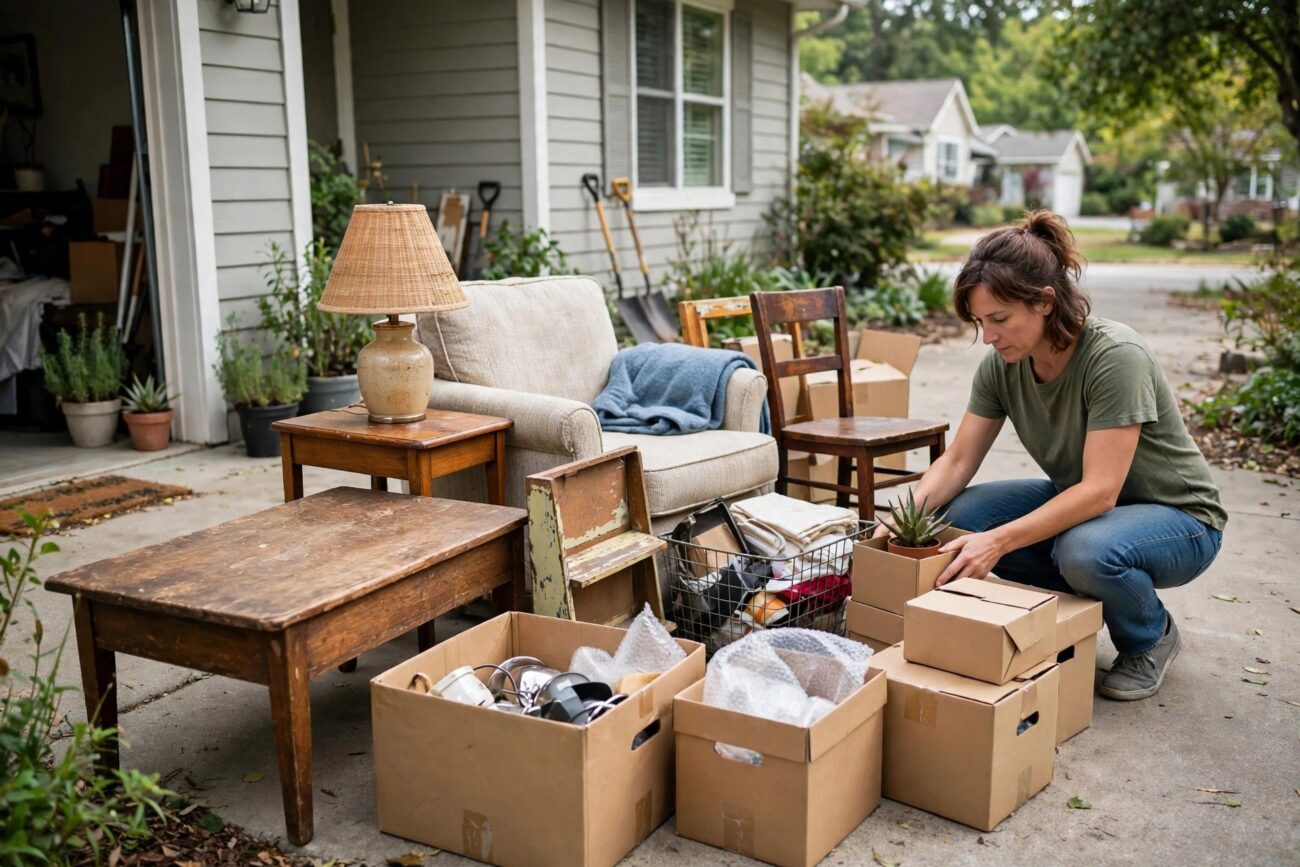
Selling your first item on Facebook Marketplace can feel confusing, even though millions of people do it every week. You take a photo, set a price, and then wait, but the buyers either never come or they ask questions you were not ready for. This guide on how to sell on Facebook Marketplace tips for beginners walks you through the whole process in order, from setting up your account to meeting a buyer safely, so your first sale happens in days instead of weeks.
You will learn what sells fastest for a beginner, how to photograph and price your items, how to write a listing that actually gets replies, and how to handle delivery and payment without getting scammed. Everything here follows the same steps experienced sellers use, just explained for someone doing it for the first time.
What Is Facebook Marketplace?
Facebook Marketplace is the free buy and sell section built into Facebook. Anyone aged 18 or older with a Facebook account in good standing can list items, and buyers in your local area can browse them, message you, and arrange pickup. There is no listing fee for local pickup sales, which is why it is one of the easiest places to start selling things you no longer need.
For shipped items bought through Meta checkout, Facebook charges a selling fee of about 10 percent per sale, with a minimum of $0.80, whichever applies. Fees change from time to time, so check Meta Help before you list a shipped item. New accounts may not get shipping and checkout access right away, so most beginners start with local pickup only, which is simpler and costs nothing.
Marketplace works best for used furniture, working electronics, brand name clothing, home goods, toys, and baby gear. These are the items local buyers search for every day, and they sell faster than niche or unusual items. If you are clearing out a room or a garage, Marketplace is usually the fastest way to turn those things into cash.
How Selling on Facebook Marketplace Works
The process has seven steps, and skipping any of them is usually what slows a sale down. First, make sure your Facebook account is ready. Your profile should look like a real person, with a photo and a few details, because buyers check who they are dealing with before they message anyone.
Second, decide what to sell first. Start with the easiest items, not the hardest ones. A clean working lamp, a small bookshelf, or a bundle of kids clothes will sell faster than a broken appliance or a rare collectible that needs the right buyer. Your first sale builds confidence and a few good ratings, and those ratings make your next listings sell faster.
Third, photograph the item well. Fourth, write the listing with a clear title, an honest description, and a fair price. Fifth, publish it and share it in local Buy and Sell Groups if you want extra eyes on it. Sixth, reply to messages quickly and politely. Seventh, arrange a safe meeting, take payment, and mark the item as sold.
Most beginners lose sales at step six. Buyers message several sellers at once and buy from whoever replies first. If you answer within an hour, you will sell far more than someone who answers the next day. Turn on Marketplace notifications on your phone so you do not miss a message.
What Sells Best for Beginners
Not everything sells equally well. The items below move fastest, because local buyers search for them constantly and the prices are easy to agree on.
- Furniture: small tables, chairs, bookshelves, dressers, and bed frames in good condition. Clean them before photographing.
- Working electronics: phones, tablets, laptops, TVs, game consoles, and small kitchen appliances that still work well.
- Brand name clothing bundles: kids clothes sold as a lot, or a few branded adult items together, sell better than single used shirts.
- Home goods: lamps, mirrors, rugs, kitchenware, and garden tools in clean, working condition.
- Toys and baby gear: strollers, bikes, ride on toys, and building sets, especially before birthdays and holidays.
A good first week plan is to list three to five easy items on day one, then add two or three more each day as the first ones sell. This keeps your listings near the top of search results, because newer listings get shown more. List your best looking item first, since buyers who click it often browse your other listings too.
How to Photograph Your Items So They Sell
Photos decide whether someone clicks your listing at all. A blurry photo taken in a dark room will be skipped, no matter how good the price is. You do not need a fancy camera. A phone camera and a bit of daylight are enough.
Take the item to a bright spot near a window or outside, and clean it first. Wipe off dust, remove clutter from the background, and use a plain wall or a tidy floor as the backdrop. Take at least five photos: the front, the back, both sides, and a close up of any label, brand mark, or flaw. Your first photo matters most, because it is the thumbnail buyers see in search results, so make it the clearest, brightest shot of the whole item.
For clothing, lay each piece flat or hang it on a plain hanger and photograph it in daylight. For electronics, photograph the screen turned on, so buyers can see it works. For furniture, show it in a room setting if you can, so buyers can judge the size. Never use stock photos from the internet. Buyers want to see the exact item they are buying, and a stock photo makes people suspicious.
Be honest about flaws. Photograph scratches, stains, and wear marks, and mention them in the description. A buyer who knows about a small scratch before they arrive will still buy. A buyer who discovers it at pickup will walk away, and you will have wasted both your time.
How to Price Your Items
Pricing is where most beginners either scare buyers away or leave money on the table. The fix is simple: check what similar items actually sold for, not what other sellers are asking. Search Marketplace for your item, filter by sold listings if you can, and look at three or four comparable results. Your price should sit near the middle of that range, or slightly under it if you want a fast sale.
Leave a little room to negotiate, because most buyers will offer less than your asking price. If you want $40, list at $45 or $50 and accept $40 when someone offers it. If you list at $40 with no room to move, the buyer who offers $30 will feel like they are getting nowhere, and the sale can stall.
| Item type | Typical used price range | Best pricing tip |
|---|---|---|
| Small furniture (chair, side table) | $20 to $60 | Price under similar listings for a fast sale |
| Dresser or bookshelf | $50 to $150 | Clean condition adds $20 or more |
| Working TV or console | $80 to $250 | Show it working in a photo |
| Clothing bundle (5 to 10 pieces) | $15 to $40 | Bundle by size, not by mixed sizes |
| Stroller or baby gear | $40 to $120 | Include all parts and accessories |
| Small kitchen appliance | $15 to $50 | Test it before listing |
Prices above are typical ranges for used items in good condition, and they vary by brand, age, and your city. Rare or high end brands can sell for more, while worn items sell for less. If an item gets lots of views but no messages in three or four days, the price is usually the problem. Drop it by 10 to 15 percent and watch the messages come in.
How to Write a Listing That Gets Replies
A good listing answers the questions a buyer would ask before they message you. Start with a clear title that names the item, the brand, and the condition, for example “IKEA Kallax bookshelf, white, like new” instead of just “bookshelf”. Titles like that show up in more searches and get more clicks.
In the description, cover the basics in a few short lines: what it is, the brand and model if you know it, the size or measurements, the condition, why you are selling it, and what is included. Then add the practical details: pickup location area, whether you can help load it, and whether the price is firm or negotiable. Short, honest descriptions sell better than long sales pitches.
Fill in the fields Marketplace gives you, including category, condition, and brand. These fields help Facebook show your listing to the right buyers. Set your location accurately, because buyers filter by distance, and a wrong location means your listing never appears in their search.
Fees and What You Cannot Sell
Local pickup sales are free to list and free to sell. Shipped sales through Meta checkout carry a selling fee of about 10 percent, with a $0.80 minimum. If you sell a $50 item by shipping, expect about $5 in fees. Some categories also have their own rules, so read the fee page for your category before you list.
Facebook Commerce Policies ban several categories outright. You cannot sell firearms, animals (with narrow rehoming exceptions), alcohol, tobacco, prescription drugs, counterfeit goods, or hazardous items. Listings for banned items get removed, and repeated violations can restrict your account. When in doubt, check the Commerce Policies page before you list.
You do not need a business account to start selling. A personal profile is enough, and most beginners sell as individuals for months before they ever think about a business page. If you later start selling regularly, Facebook offers seller tools and a commerce profile, but they are optional at the start.
How to Stay Safe When You Sell
Safety matters more than speed. Keep all messages inside Facebook Messenger, and never move a conversation to email or a messaging app a stranger suggests. Scammers try to move you off the platform because Facebook cannot protect you there. A real buyer is happy to talk on Messenger.
Meet in a public place in daylight, such as a busy parking lot, a police station safe exchange zone, or a coffee shop. Bring someone with you for larger items, and tell a family member where you are going. For small items, a public meeting works well. For furniture, buyers usually come to your home, so have someone else there and keep the item near the door or in the garage.
Take payment before you hand the item over. Cash is simplest for local pickup. For digital payments, use a method you trust and confirm the money has arrived before the buyer leaves. Never accept a check, a money order, or an overpayment with a request to refund the difference. That is a classic scam, and the check will bounce after you have already handed the item over.
Watch for red flags: buyers who offer far more than your price, buyers who want you to ship before payment, buyers who ask for your phone number or email right away, and buyers who pressure you to decide in minutes. Any of those is a reason to stop replying and move on to the next buyer.
After the Sale: Ratings, Repeats, and What Comes Next
Once the buyer has paid and taken the item, mark it as sold in Marketplace. This stops new messages and keeps your profile tidy. If the buyer leaves a rating, thank them, and leave a rating for them too. Good ratings build trust, and trust is what makes your next listings sell faster.
Keep a simple record of what you sold, for how much, and when. A notes app is enough. After a few sales you will see which items sell fastest in your area, and you can focus your time on those. Many beginners start by clearing one room, then find they enjoy it enough to keep going, sourcing items from garage sales and thrift stores to resell.
If an item does not sell after a week, do not just leave it there. Refresh the listing with a new first photo, lower the price by 10 to 15 percent, or relist it fresh. Sometimes a listing simply needs a new start to appear in front of buyers again. Items that still do not sell after two price drops are usually priced too high for their condition, or they are items with very little local demand, in which case donating them may be the better choice.
FAQs
Is selling on Facebook Marketplace free?
Yes, for local pickup sales. Listing an item and selling it to a local buyer costs nothing. Shipped items bought through Meta checkout carry a selling fee of about 10 percent per sale, with a $0.80 minimum, so check the current fee before you offer shipping.
What sells best for beginners?
Furniture in good condition, working electronics, brand name clothing bundles, home goods, and toys sell fastest. These are the items local buyers search for every day, and they are easy to price fairly by checking similar sold listings.
How do I price my item?
Search Marketplace for the same or a similar item, look at what comparable items actually sold for, and price yours near the middle of that range or slightly under it for a fast sale. Leave a little room to negotiate, since most buyers will offer less than your asking price.
How do I stay safe?
Keep messages in Messenger, meet in a public place in daylight, bring someone with you for larger items, and take payment before handing the item over. Never accept checks or overpayments, and never move the conversation to an app a stranger suggests.
What can I not sell?
Facebook Commerce Policies ban firearms, animals with narrow rehoming exceptions, alcohol, tobacco, prescription drugs, counterfeit goods, and hazardous items. Listings for banned items get removed, and repeated violations can restrict your account.
Do I need a business account?
No. A personal Facebook profile is enough to start selling. You can list items, message buyers, and complete sales as an individual. Business tools are optional and only make sense once you are selling regularly.
Conclusion
Selling on Facebook Marketplace is simple once you follow the steps in order: start with easy items, photograph them well in daylight, price them by checking similar sold listings, write an honest description, reply fast, and meet safely. Your first sale is the hardest one. After that, each listing gets easier, and your ratings start working for you. Pick three items from your home today, list them using the steps above, and you could have your first sale by the end of the week.
Related Reading: How to Organize a Small Pantry on a Budget, How to Deep Clean Your House Room by Room Checklist
